

The Ooni Volt 12 manual is Ooni’s official guide to setting up, seasoning, using and cleaning its 1600W electric pizza oven, which reaches 450°C. The manual covers power rules, dial functions, the Boost feature, stone care and error codes in one short PDF.
Read the Ooni Volt 12 manual before your first cook. The most important rules are to plug the oven into a 230V outlet, keep the baking stone in place at all times, and never clean the oven with oven cleaners or water.
Ooni Volt 12 Manual Setup and Power Requirements
The Ooni Volt 12 needs a 230V outlet, an extension cord rated at least 1600W, and a supply protected by an RCD rated at 30 mA or less. Those three rules come first in the Ooni Volt 12 manual’s setup steps.
According to Ooni’s official manual PDF, the oven is rated 220-240V, 50-60Hz and 1600W, and its model SKU is UU-P1A300. Place it on a clean, flat and stable surface (our Ooni Volt 12 dimensions guide lists the footprint), and clear away flammable items such as tablecloths. Leave room around the unit and do not put it inside an enclosed space, because cooking temperatures can produce smoke.
- Stand the oven a couple of finger-widths back from the edge so the door can open fully.
- Keep the power switch off, then plug the oven into a 230V outlet.
- Route the cable so nobody can trip over it or pull the oven off the counter.
- Slide the baking stone into the cavity, avoiding the temperature sensor on the left wall.
- Switch the side power switch on, then press the power button on the left of the dials.
The Ooni Volt 12 manual says the oven suits altitudes up to 3,000 meters above sea level and has an IPX4 rating. The Essentials Guide adds that the oven works indoors or outdoors. For outdoor use it recommends a medium or large Ooni Modular Table, and it warns against placing the oven on glass or plastic.
Seasoning and Preheating the Ooni Volt 12
Season the Ooni Volt 12 before the first cook by running it at 450°C for 20 minutes, then letting it cool. The Ooni Volt 12 manual calls this seasoning, which burns off manufacturing residue and prepares the stone for later use.
The seasoning steps are short. The Ooni Essentials Guide says the oven reaches 450°C in about 20 minutes, so you can start preheating while you prepare the dough and toppings. For electricity use, see the Ooni Volt 12 power consumption guide.
- Turn the temperature dial to 450°C. The oven starts heating at once.
- Turn the timer dial to 20 minutes.
- When the timer ends, switch the oven to standby and let it cool.
- Check the stone with an Ooni Digital Infrared Thermometer, since the Essentials Guide says the stone should match the air temperature inside the oven.
The oven enters standby after 45 minutes without use to save energy. Press the power button on the front to wake it up before you cook.
Temperature, Balance and Boost Settings
The temperature dial goes up to 450°C, the balance dial shifts heat between the top and base, and Boost recharges the stone for 45 seconds. Each setting controls a different part of the bake.
| Control | What it does | Manual detail |
|---|---|---|
| Temperature dial | Sets heat up to 450°C | Clockwise raises, counterclockwise lowers |
| Balance dial | Shifts heat between top and base | Preset for each temperature, unlocked once the oven is hot |
| Boost | Recharges the stone | Lasts 45 seconds, then waits until the icon stops flashing |
| Mute | Silences the dial chime | Press the timer dial for three seconds |
The Ooni Volt 12 manual confirms the balance dial is set automatically when you pick a temperature. Once the oven reaches that temperature, the balance indicator turns back on, and you can turn the dial clockwise for more top heat or counterclockwise for more base heat. Boost is the fix when the base lags behind the top, according to the Ooni Volt 12 manual. Turn the balance dial fully counterclockwise until the icon flashes quickly, and Boost lasts 45 seconds.
The Essentials Guide, which accompanies the Ooni Volt 12 manual, lists approximate settings by style. New York style sits near 350°C, Detroit style near 300°C, and the classic Ooni dough needs the stone to reach at least 400°C at its center. Use the Ooni Volt 12 manual’s stone temperature guidance rather than the dial alone when you are unsure.
Cooking, Powering Down and Storing the Oven
Power down by pressing the standby button on the door, then wait at least 10 minutes before switching off at the side, because the fan cools the electronics first. The cavity stays hot for up to 90 minutes, so leave it to cool before moving or storing it.
The Ooni Volt 12 manual says you can use the oven outdoors, but it should be stored indoors in dry conditions when not in use. Keep the baking stone inside the oven, and do not place food or other items in the cavity. Ooni’s Essentials Guide also recommends keeping the oven dust-free with the Ooni Volt 12 Cover, which is sold separately.
- Do not lean on the oven or set items on top of it.
- Do not lean on or put weight on the open door.
- Use the handle when opening the door, since the inner surfaces get extremely hot.
Baking Stone Care and Safety Rules
The baking stone must stay in the oven at all times, and oil, baking paper and water should never touch it. The Ooni Volt 12 manual warns that the stone is fragile and can break if bumped or dropped, so handle it with care.
- Never run the Ooni Volt 12 without the baking stone in place.
- Do not place oil or baking paper directly on the stone.
- Do not use the stone over an open flame or cool it with water.
- Do not place frozen food on the stone when the temperature is above 200°C.
- To clear burned marks, let the stone cool, lift it out with both hands, flip it and slide it back in.
If the stone breaks, turn the oven off, let it cool and unplug it before removing the pieces. Under warranty, contact Ooni support for a replacement. Once the oven is running well, try the Ooni Volt 12 recipes. Out of warranty, a new stone is sold on ooni.com.
Ooni Volt 12 Manual Error Codes Explained
The Ooni Volt 12 signals a fault with a red LED on the temperature dial and an alarm tone. The Ooni Volt 12 manual lists seven codes, and each one lights a different position on the dial.
| Error | Red LED position | Meaning |
|---|---|---|
| 1 | 150 | Cavity thermal probe short circuit |
| 2 | 200 | Cavity thermal probe open circuit |
| 3 | 250 | Oven over temperature |
| 4 | 300 | PCB over temperature |
| 5 | 350 | PCB temperature sensor short circuit |
| 6 | 400 | PCB temperature sensor open circuit |
| 7 | 450 | PCB communications fault |
The Ooni Volt 12 manual says to contact Ooni customer service at support.ooni.com and quote the error code. Any other servicing should be carried out by an authorized service representative, not by the owner.
Cleaning the Ooni Volt 12 Door and Body
Clean the glass door and outer body only after the oven is completely cool, and use cloths rather than harsh products. The Ooni Volt 12 manual says the interior should not need cleaning, because food residue burns off during use.
Wipe grease from the glass with a dry paper towel or dry cloth. For a deeper clean, use warm soapy water and dry the door fully before the next use. Wipe the body with a lightly damp cloth and dry it at once, as the Ooni Volt 12 manual advises. Some discoloring inside the cavity is normal over time.
- Do not use oven cleaners or metal scourers.
- Do not use a hose or pressure washer.
- Use a wire brush only to sweep loose debris from the stone.
Frequently Asked Questions
Can the Ooni Volt 12 be used indoors?
Yes. The Essentials Guide says the oven can be used indoors or outdoors. The Ooni Volt 12 manual says it is suitable for outdoor use, and it should be stored indoors in dry conditions when not in use.
What temperature does the Ooni Volt 12 reach?
The oven reaches 450°C (850°F), which is its maximum setting. The Essentials Guide says it gets there in about 20 minutes, and it recommends checking the stone with an infrared thermometer.
How long does Boost last?
Boost runs for 45 seconds. After it stops, the oven waits until the bottom icon stops flashing before Boost is available again.
Can I run the oven without the baking stone?
No. The Ooni Volt 12 manual says not to use the oven without the baking stone in place. Keep the stone inside the cavity whenever the oven is on.
What should I do if an error code appears?
Following the Ooni Volt 12 manual, turn the oven off, note the code shown by the LED, and contact Ooni support at support.ooni.com with that code. Do not attempt internal repairs yourself.
How long does the oven stay hot after use?
The cavity can stay hot for up to 90 minutes after you switch it off. Leave it to cool for 90 minutes before you move it, and wait at least 10 minutes after standby before cutting the power switch.
Follow the Ooni Volt 12 manual’s setup and stone rules every time, and the Ooni Volt 12 will give consistent results. If an error code appears or the stone cracks, stop cooking and contact Ooni support before you use the oven again. If you own the larger model, read the Ooni Volt 2 manual summary instead.
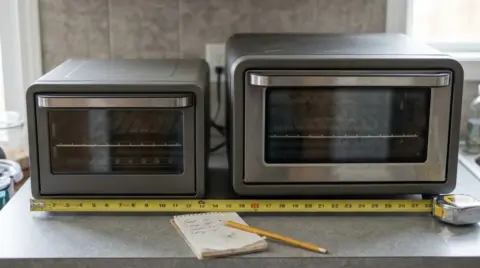 6 min readBy Use & ModelOoni Volt 12 Dimensions: What the Manual Says and How to MeasureUpdated Nov 6, 2026
 9 min readBy Use & ModelOoni Fyra 12 Manual: Setup, Lighting and Cool-Down StepsUpdated Nov 6, 2026
 8 min readBy Use & ModelOoni Karu 12 Manual: Setup, Lighting and Safety GuideUpdated Nov 7, 2026
 8 min readBy Use & ModelOoni Volt 12 Recipes: Pizza Styles, Dough and SauceUpdated Nov 7, 2026
 8 min readBy Use & ModelOoni Volt 12 Power Consumption: Ratings and Running CostUpdated Nov 7, 2026
 9 min readBy Use & ModelOoni Volt 2 Manual: How to Set Up, Use and Clean Your OvenUpdated Nov 7, 2026